Notion Template
·
2025
Freelance Manager
This Notion template is the perfect way to keep track of past, present, and future bookings. An ideal way to offload information into a visually accessible and approachable database so you're no longer second-guessing.
Visit the site
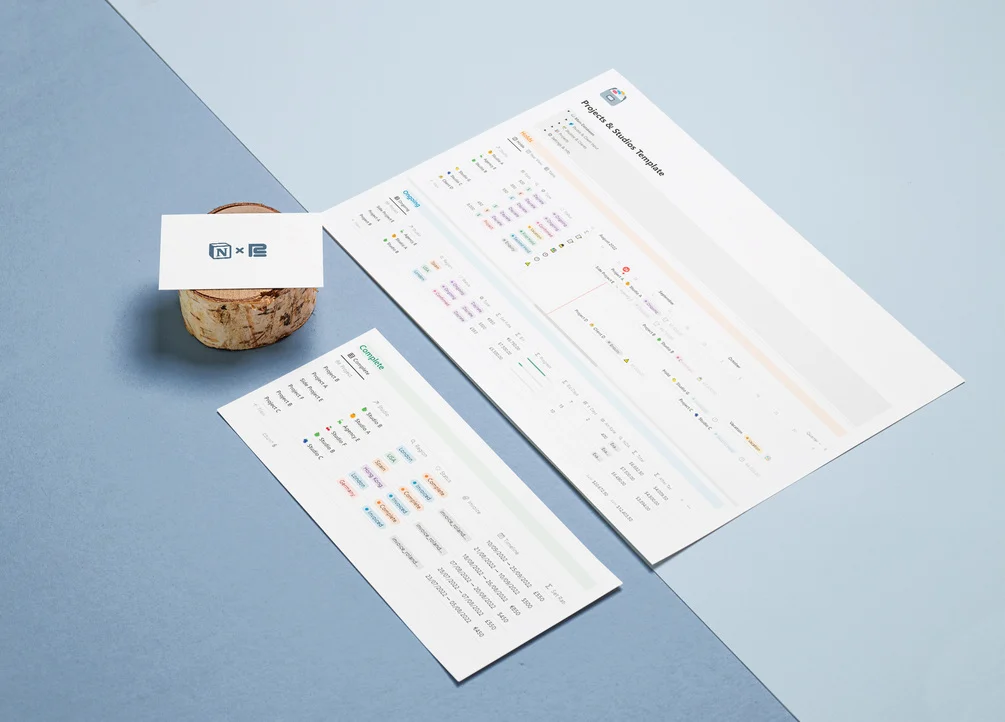
This Notion template is the perfect way to keep track of past, present, and future bookings. An ideal way to offload information into a visually accessible and approachable database so you're no longer second-guessing.
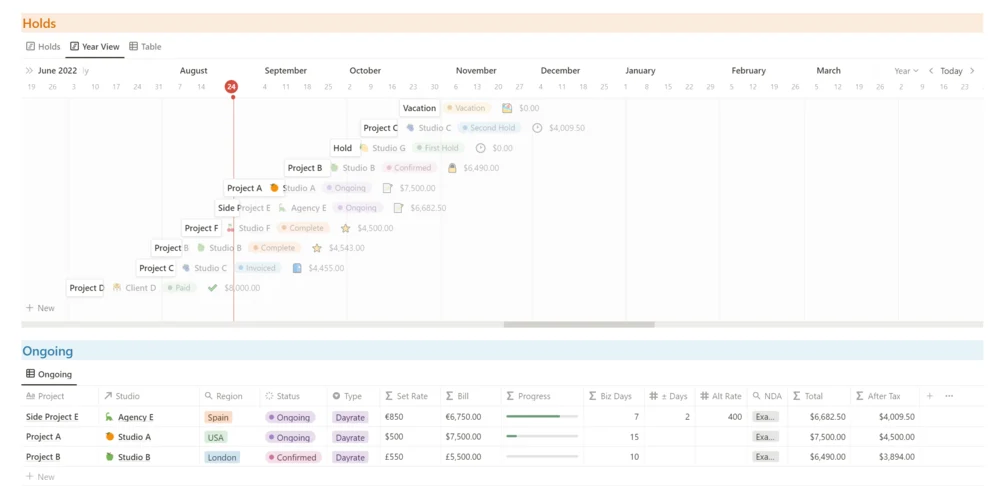
If you’re working with First Holds, Second Holds, inquiries, direct-to-client work, studio bookings, or all simultaneously, this template can help you organize your work life. Back when I started freelancing, I used to leave everything in my email inbox. I would navigate around, reaching past emails to figure out dates I had agreed on, inquiries pending, and even rates that were now outdated. Switching to a Notion database was the beginning of the end of my mess. After more than a year of tweaking and experimenting with this template, I feel that it has reached a point where it’s useful to be presented publicly and ready to be enjoyed by other freelancers :). If you’re working with multiple rates for different clients and currencies worldwide, things will get even better.
The way it is structured, this template flows in the same order as your projects, top-to-bottom from an initial inquiry or hold to a completed and paid-for project/booking. There are multiple custom formulas that will indicate status tags to make sure you’re not falling behind on an inquiry, automatically convert all EUR, USD, and GBP into a single currency, calculate a project bill based on the number of working days of a booking and keep track of your history with different clients.
There are two databases that are linked to each other:
a Clients & Studios database, and a Projects database. The Clients & Studios one serves the purpose of logging the studios and clients you work for, including properties for your point of contact, website, rate, region, and the currency they use.
the Projects database is the main database, and will also link with the Clients & Studios to automatically present the right information for each project. As you move from a “Hold” status to “Ongoing” and “Completed”, different views offer relevant information for each section.