Tool
·
2024

Offspring
A very lightweight, ffmpeg-based tool to convert videos, gifs, and image sequences with just a click and in seconds.
Visit the site

A simple tool for a powerful workflow
Offspring is an app that packages ffmpeg as a tool in order to execute lightweight but extremely useful action on all kinds of media.
Initially, it started as a set of manual scripts, written by Keerah (link), that I barely linked to a couple of shortcuts so that they could be easily accessible.
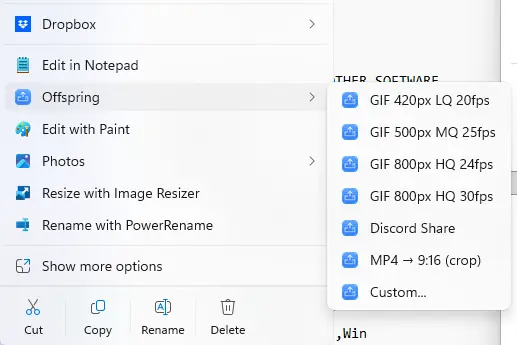
With Offspring, the entire thing was rebuilt from the ground up, with the idea of providing a graphic interface to make these little tools and presets easier to create, and make the shortcuts even more handy by placing them straight up in the right-click context menu.
The power of Offspring is not only in what it does, but also in how it does it. There are so many actions that, until now, I had to open a full editing suite or program to use. Trimming X number of frames, speeding up a video by 2X, or reversing, flipping, cropping, merging, reducing their filesize… Which would always mean spending 2–5 extra minutes opening, importing, editing and exporting a file with specific settings just to check a quick render or clip.
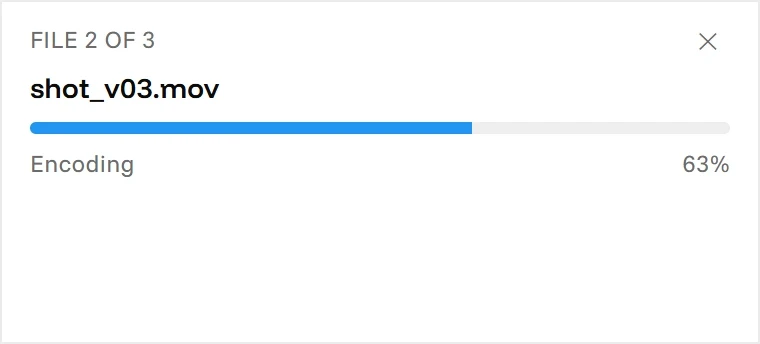
With Offspring, those same actions are reduced to seconds, and – while it’s not so much about the minutes (actually hours over time) you can save with it, I think anyone that has had to deal with this will understand how much of a drag this is.
Second nature
Having a tool that can do everything Offspring can do on your right-click menu just makes you think differently about exploring and being creative. When flipping a video, speeding it up, or merging several clips into one longer edit can be done with two clicks of your mouse instead of a full round-trip to DaVinci or Premiere (or Final Cut, sure), you start to iterate faster and more easily. You can try different things on the spot, share gifs or videos with a specific filesize limit (discord, I see you), and convert full image sequences to videos super easily.
Tool and presets
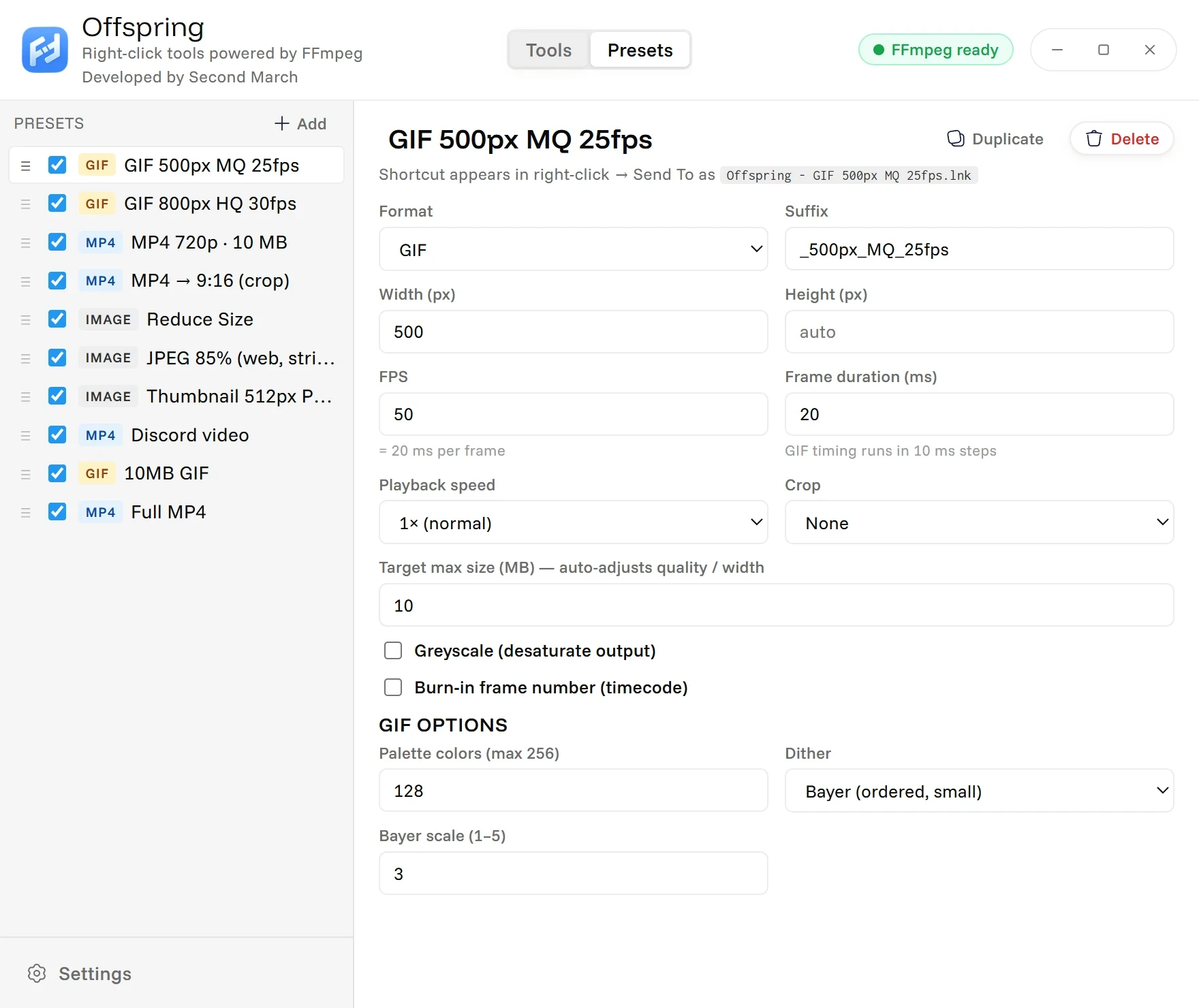
The way I designed Offspring, it’s split into two sections: Tools and Presets.
Presets are, unsurprisingly, sets of settings you can preconfigure (GIF format - 25fps - 500px max size - 5mb limit, or MP4 - 720px - 9:16 - Greyscale, for example) so that they appear on your right-click Offspring menu. Incredibly useful if you have some preferred way of showcasing clips, or a program, client, or platform that requires specific settings.
Tools is the other tab, where I’m adding tools that are primarily setting-agnostic (they keep the original clips format) and provide useful ways to tweak or edit. Trim, crop, speed up, merge multiple clips into one longer clip, compare two videos side by side, ‘make images square’ (actually useful in many contexts), invert, greyscale, watermark… Essentially a mini-suite of tools that you don’t need to open a program for.
Free and Open Source
All in all, Offspring is something I use almost every day, and not just that. Every time I use it I just think of how much of a hassle it saves me. At its core, it’s nothing groundbreaking or that hasn’t been done before in a variety of ways, but I think the magic of Offspring is how it’s packaged into a nice little UI, super easy to install and work with, and lives on your right click menu which is immediately accessible. Offspring is open source and free to download of MacOS and Windows on its site. Give it a try!