Productivity
·
2026

Plaza
An all-in-one project management, ideation and productivity space.
Visit the site
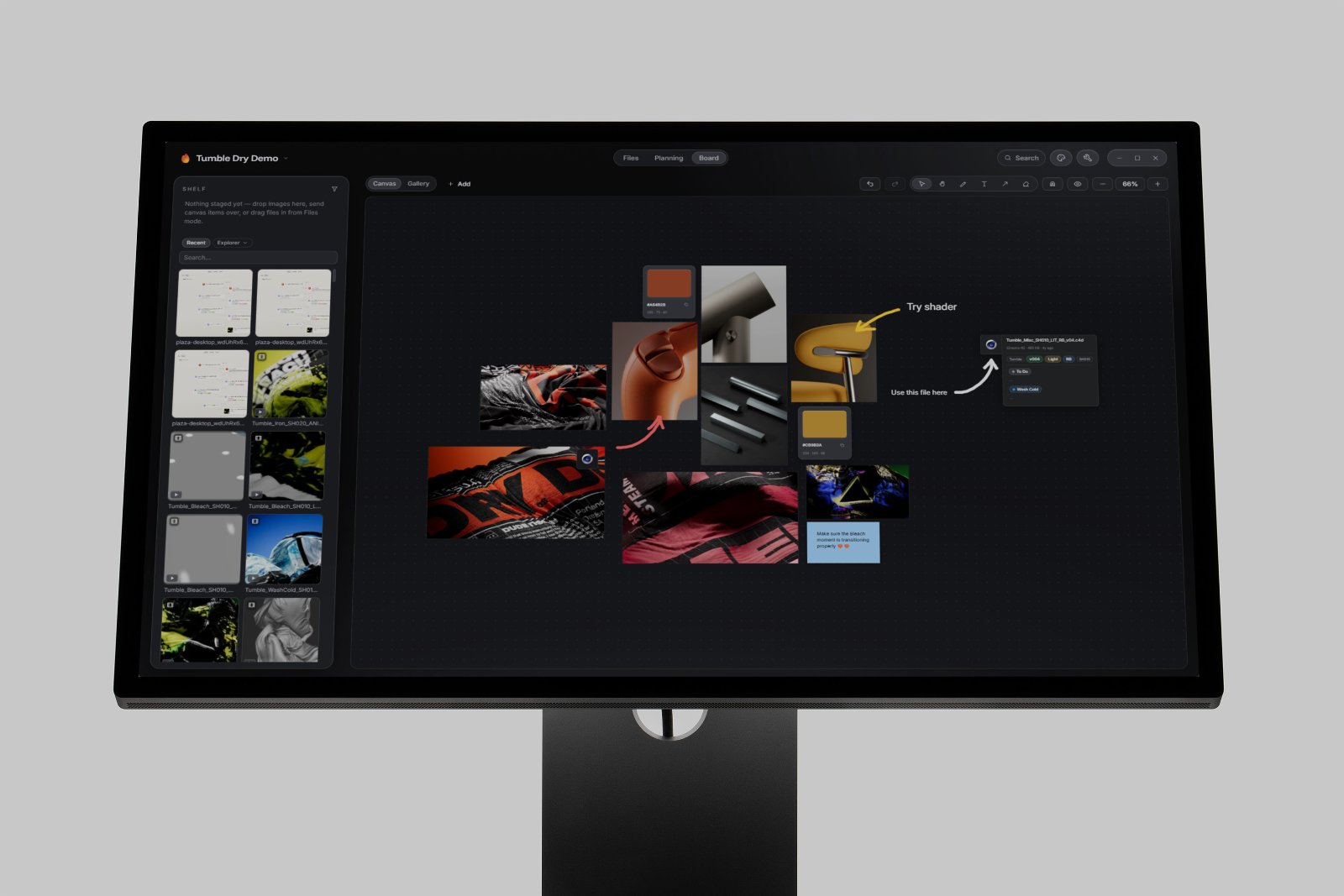
Plaza is where I manage and work on projects now. Traditional file browsing on computer is very simplistic and lacking, so Plaza wonderfully takes over as an all-in-one space for keeping track of files, attributes, moodboards, tasks, and overall project files.

One platform for all your project needs
The design of Plaza consists on three surfaces: files, planning, and board. When you first open the app, you’re met with the Welcome Page / Dashboard (shown above). Every project is its self-contained card with customizable thumbnail, name and locations. Plaza works on a layer over your real files, so you can assign labels, attributes and filters without affecting them. Other actions like move, delete, and rename of course affect the actual files.
The Files view
Files view is like a regular file browser, but supercharged. Files acquire smart attributes based on their naming convention, there are filters, stacks (multiple versions of the same project file become one stack, or 90 frames from a sequence become a sequence stack, etc) and a super cool drill down feature (it lets you look at all the files inside a folder and its subfolders). I use this a TON when I render my 3D projects into folders with AOVs and what not. Instead of having thousands of files inside their own subfolders, two buttons suddenly turn all of that noise into neat stacks of individual AOV sequences. Bonus points for when I filter by “.png” filetype, so I can instantly find all the beauty sequences inside all subfolders.

There are just so many features that I’ve packed into this file browser that it’s hard to limit myself to just talking about a few, but I think the best way to discover them it to try the app out and play around. Things like color-coding folders and files, favorites sidebar, related files (this is a personal favorite), compare images/videos, quick look, attributes, plaza links… It just feels like it’s made for productivity.
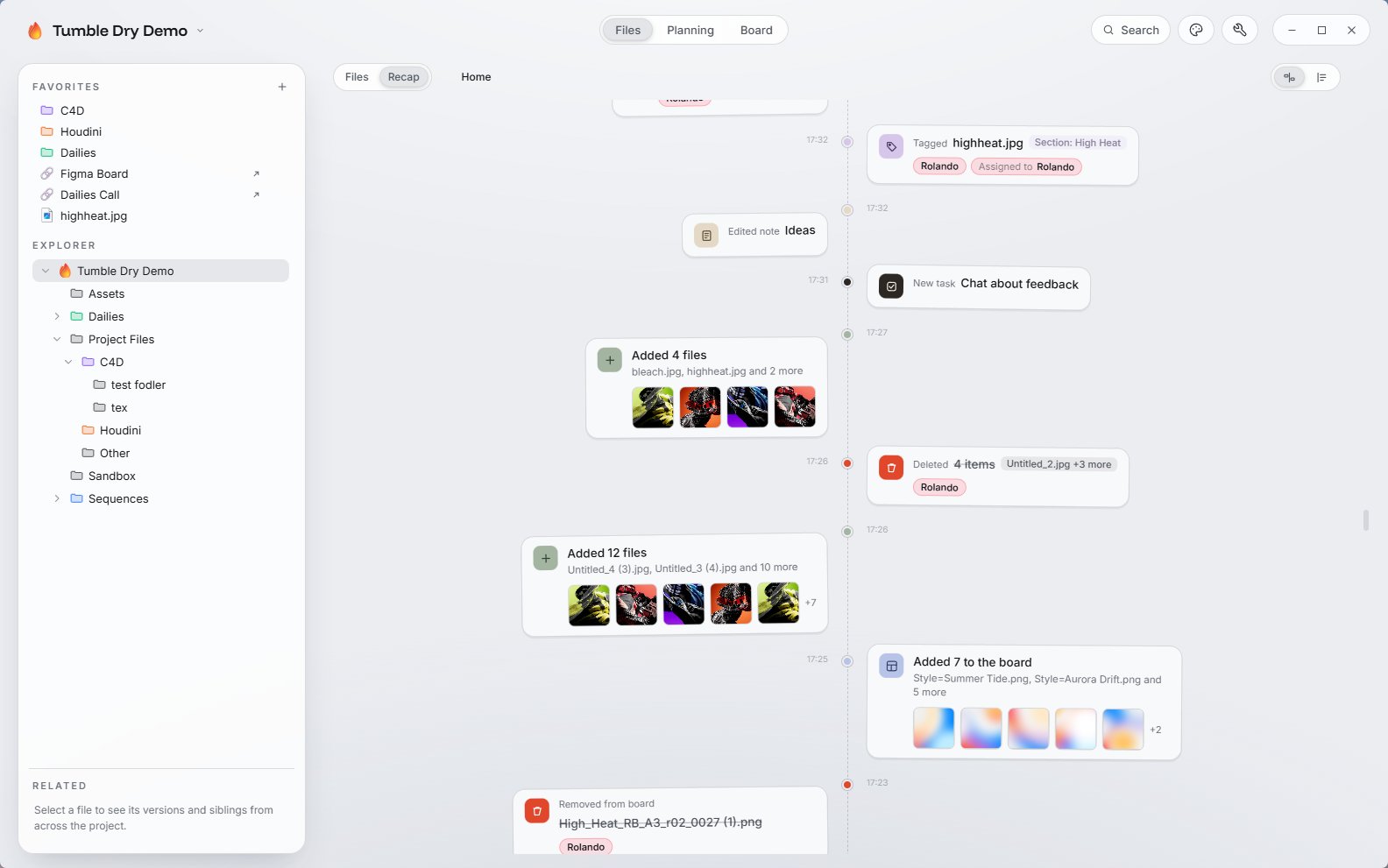
The other section inside the files view is the Recap. This is another view of the files but this time displayed on a vertical timeline that shows all edits, modifications, additions and deletions to files inside the project. It’s a fantastic way to track where you left off, or what other people have been doing in your absence. Useful as well if you can’t remember where you placed that one file a few days ago!
Planning
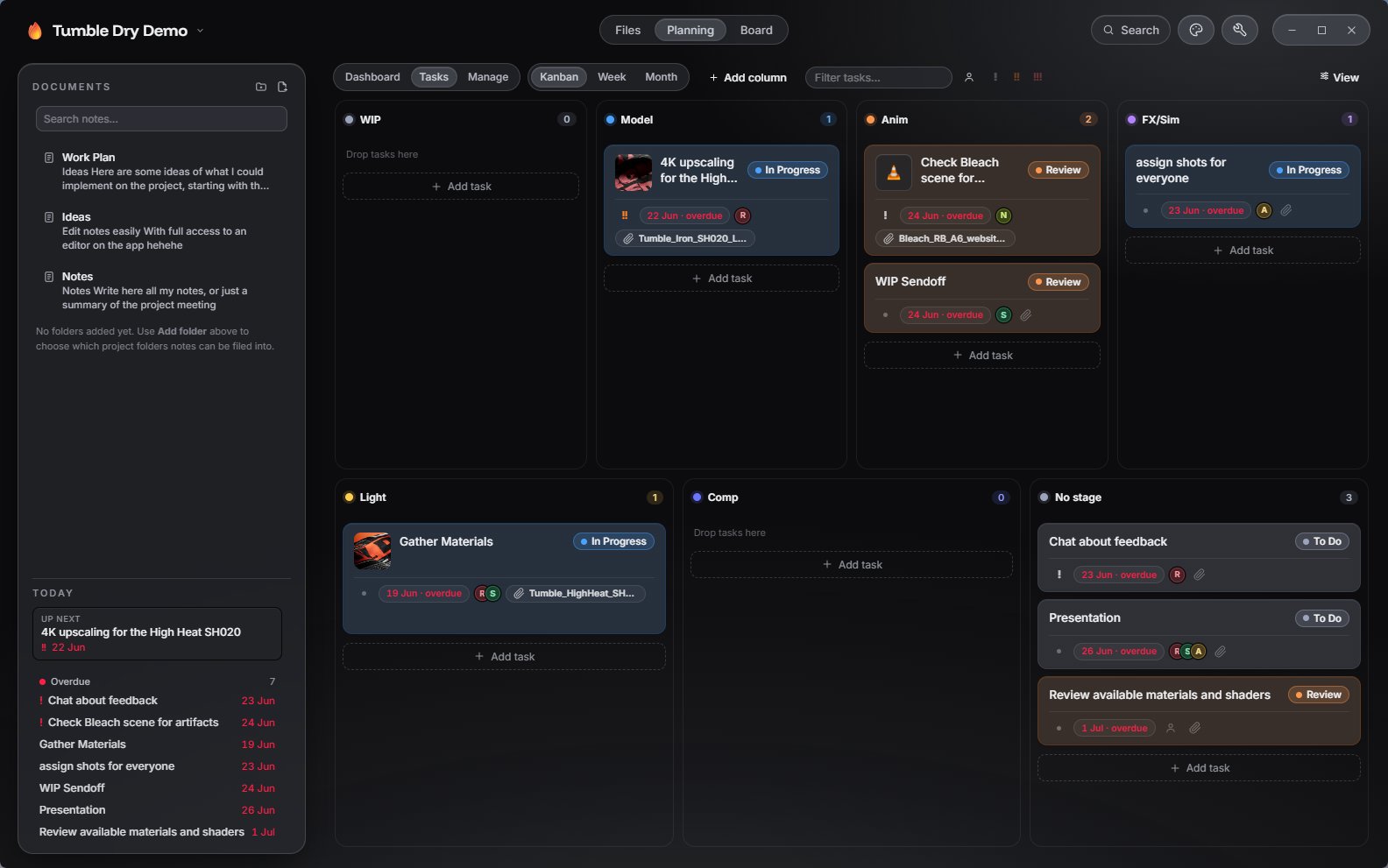
Planning is the more management-oriented view for the project. It’s a bit of a command-zone for all tasks, assignments, project overview, useful links, and general project settings. It’s pretty powerful, and because it lives inside the project, you can assign specific, real files to tasks. You can assign priorities, people, statuses, and it will even auto-detect shot names and versions based on your filenames, so you can assign specific shots as well.
It has a neat space for notes and useful links/references that can apply to the project, so it’s a sweet little space to address the production side of a project.
Board
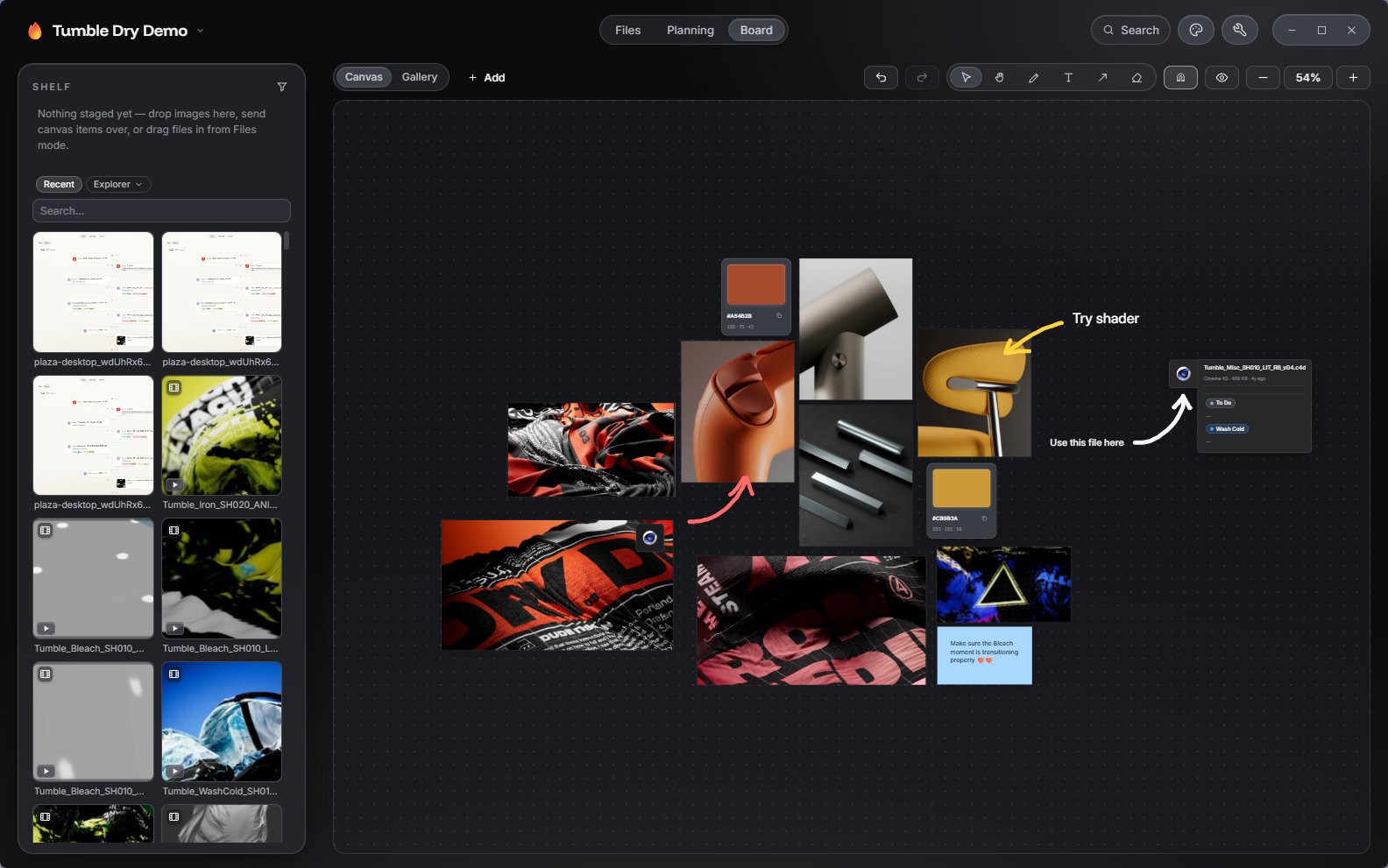
The Board is, as implied, a figma/miro-like board for each project. Because of the way Plaza is built, this doesn’t live online, there is no size limit, and it loads way faster. I have added quite a few little snippets to it, like a hex color chip with a picker, code blocks, links, and a bunch more. I really like it for those personal projects where you don’t necessarily need to share your board, or you want to have a private one, but it works incredibly well when two people are sharing a Plaza project too.
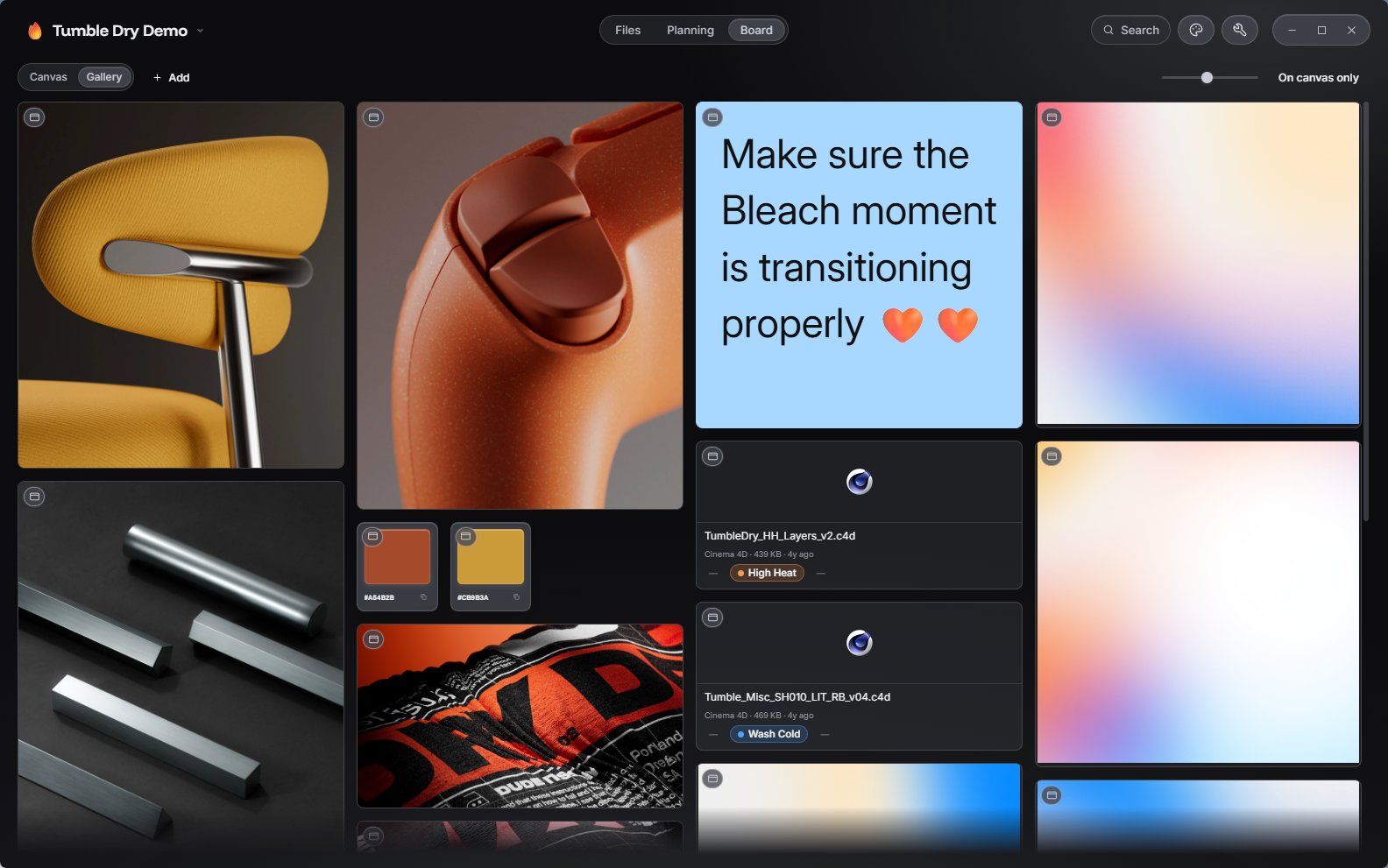
There is a “Gallery” view as well that takes all the media placed on a board and displays it on a masonry wall, which is a great way of taking a simpler look at your board’s references and objects.
In short
I love Plaza because it’s quickly become my absolute go-to for projects. I like working on studio projects where I bring them into Plaza as private projects, meaning what I do in Plaza doesn’t affect files or folders in the project. This way I can have my tasks, boards, and file attributes for a project without polluting or uploading any files to the studios’ drives. I have friends who’ve already been trying early versions of Plaza for working within small studios, and it’s proved to be fantastic too. I really recommend giving it a shot and customizing it your own way, I am positively sure that whichever friction you feel moving from Explorer or Finder will be far outweighted by all the features and benefits that you have in Plaza, at your fingertips.